
Death Clock App: Free, No Download
You can use our death clock as an app on any phone without an app store. Add it to your home screen in two taps and it opens full screen, works offline and keeps everything on your phone. It is free, with no account and no subscription.
- UN 2024 data, 201 countries
- Nothing stored or sent
- Free, no sign-up
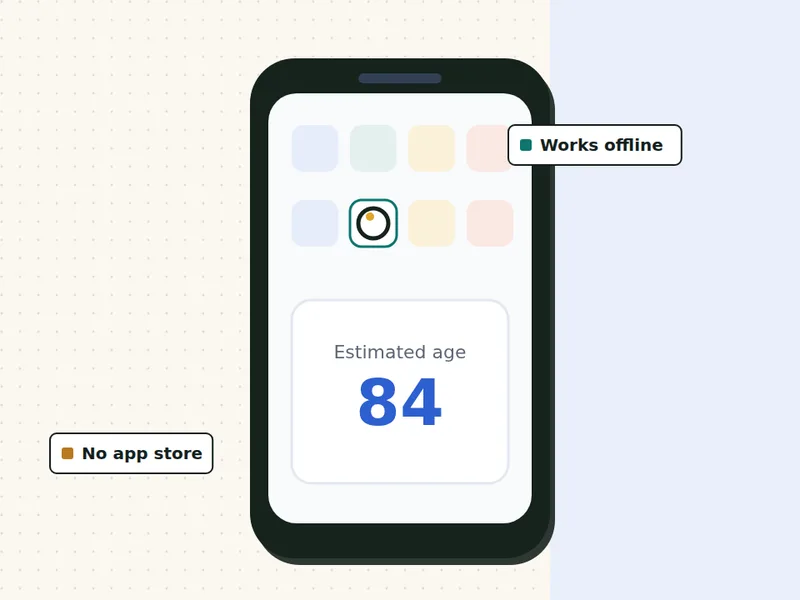
Install the free death clock app
On iPhone, open this page in Safari, tap Share, then Add to Home Screen. On Android, open it in Chrome and use the install button or the menu.
The app is the same calculator as our death clock, so the results match exactly. We are not linked to any other app with a similar name, including apps in the Apple App Store or Google Play.
On this page
How to install the death clock app on Android
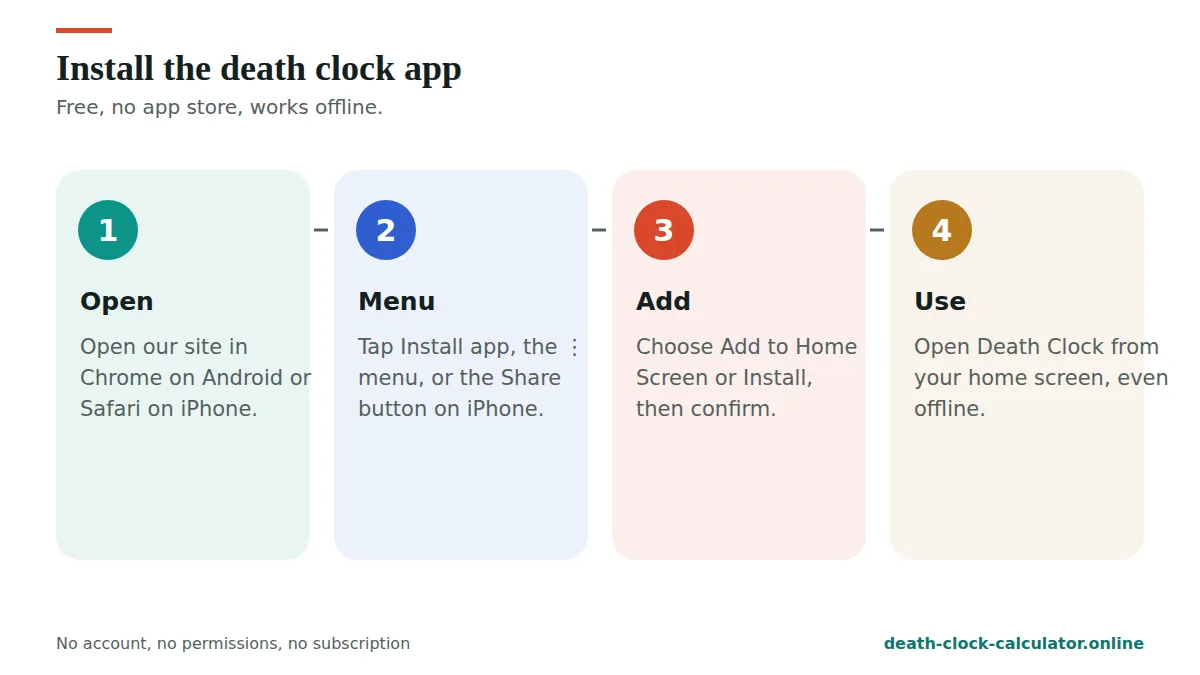
- Open this page in Chrome.
- Tap Install the app above. If you don’t see the button, tap the ⋮ menu at the top right.
- Choose Install app or Add to Home screen, then confirm.
- Find the Death Clock icon on your home screen and open it.
How to install the death clock app on iPhone or iPad
- Open this page in Safari.
- Tap the Share button (the square with an arrow pointing up).
- Scroll down and tap Add to Home Screen.
- Tap Add. The Death Clock icon appears on your home screen.
On a computer, Chrome and Edge show a small install icon in the address bar. Click it to add the app to your desktop.
What does the death clock app do?
- Estimates your age at death and projected death date from your birth date, sex, country and BMI.
- Shows a live countdown in years, months, days, hours, minutes and seconds.
- Shows the middle half range and your survival curve.
- Lists the changes that would add the most years for you.
- Lets you save a result image or share a link.
- Includes the death date calculator, the age at death calculator, the death countdown and the quiz, once you have opened them.
Is the death clock app private?
Yes. The app runs the calculation on your phone. Your birth date, weight and answers are never sent to us or stored on a server. Once installed, the calculator also works with no internet connection. If you use it on a shared device, press “Start over” when you are done.
How is this different from other death clock apps?
We can only speak for ours. It uses UN life tables and published studies, and it shows every constant and source on our method page. It gives a range next to every estimate, and it never asks for an email, a payment or access to your contacts, photos or location. If you use another app, it’s worth checking what data it collects and where its numbers come from.
Why a web app and not an app store download?
- No cost, no subscription. We don’t charge for anything.
- No account. Nothing to sign up for, nothing to forget.
- Small and fast. It takes up very little space.
- Always up to date. When new UN or WHO data comes out, the app updates on its own.
What you see when you open the death clock app
Once installed, the death clock app opens full screen from its own icon, with no browser bar at the top. It starts on the calculator, the same one you find on our home page. Nothing new to learn.
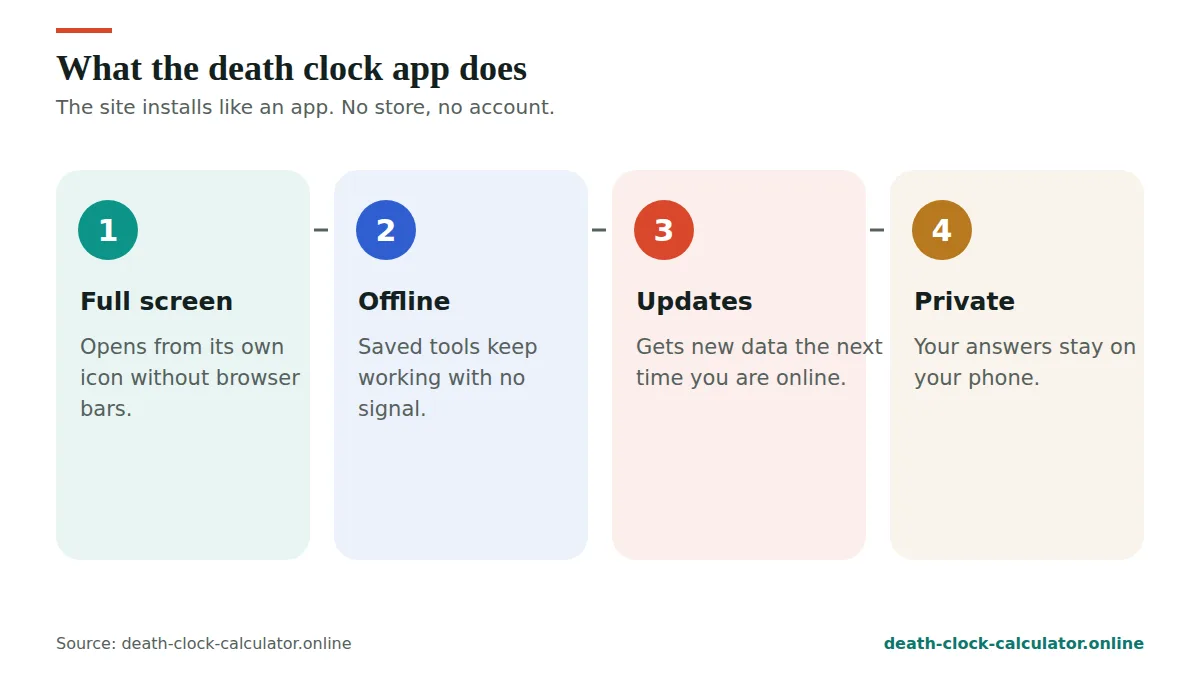
- Enter your answers. Your birth date, sex and country, then your BMI band and a few habits such as smoking.
- Read your estimate. The death clock app shows the average age at death for people with your answers, and the matching date.
- Read the range. Right next to the estimate is the middle half: the ages between which half of people like you die.
- Watch the countdown. The clock counts down to the average date in years, months, days, hours, minutes and seconds.
- Check what moves it. A short list shows which changes would add the most years for you.
You can save the result as an image or share a link. When you are done on a shared phone, press “Start over” to clear the answers from the screen.
An example result in the app
Here is what the death clock app shows for one group: a 40-year-old woman in the United Kingdom with a healthy BMI who never smoked. These are estimates from our model, calibrated to UN World Population Prospects 2024.
| What the app shows | Value |
|---|---|
| Estimated age at death | About 84 |
| Years left on average | 44.1 |
| Middle half of outcomes | 77 to 93 |
| Chance of reaching 70 | 87% |
| Chance of reaching 80 | 68% |
| Chance of reaching 90 | 35% |
| Chance of reaching 100 | 6% |
The middle half runs across 16 years. That spread is the honest part of the result. The countdown only shows the middle point, so read the range before the date.
Death calculator app or website: what is the difference?
The death calculator app and the website run the same code on the same data. The difference is mostly about comfort. The app sits on your home screen, opens in one tap and fills the whole screen.
| Feature | Installed app | Browser tab |
|---|---|---|
| Results | Same | Same |
| Cost | Free | Free |
| Account needed | No | No |
| Home screen icon | Yes | No |
| Opens without the browser bar | Yes | No |
| Works offline after the first visit | Yes | Yes, in the same browser |
| Needs phone permissions | No | No |
If you only want one quick look, the browser is fine. If you like to check your countdown now and then, the death calculator app saves a few taps each time.
Is there a when will I die app that is honest?
Many people search for a “when will I die app” hoping for a single date. No app can know that. What an honest app can do is show the average for people like you, show the range around it, and name where its numbers come from.
That is how we built ours. The when will I die app on this page:
- Uses public data. Country figures come from UN World Population Prospects 2024.
- Adjusts for your age. The estimate rises as you get older, because you have already passed earlier risks.
- Shows a range every time. The date never appears on its own.
- Explains its maths. Every constant and source is on our how we calculate page.
- Makes no AI or accuracy claims. It is a published formula, nothing more.
If you want to know how far to trust any death clock, our page on whether the death clock is real goes through it step by step.
Why your result in the app changes with age
Open the app again in a few years and your expected age at death will be a little higher. That is normal. For a healthy American man who never smoked, our model gives 76.9 at birth, 79.1 at age 40 and 85.3 at age 70. Each year you live, you move past some of the risks that the at-birth figure includes.
Which parts of the death clock app work offline?
The first time you open the death clock app with an internet connection, it saves the calculator, its data and the main tools on your phone. After that, these work with no signal at all:
- The main death clock calculator
- The death countdown
- The death date calculator
- The what age will I die calculator
- The when will I die quiz
- This app page, with the install steps
This is handy on a plane, on a train or anywhere with a weak signal. The maths runs on your phone, so there is nothing to wait for once the page is saved. Results are just as fast with no connection as with one.
Other pages you have already opened may also load offline. Pages you have never visited need a connection the first time. If you clear your browser’s site data, the saved copy is removed too, and the app needs one online visit to save it again.
Death clock app privacy: what stays on your phone
A death clock app asks for personal details, so it is fair to ask where they go. In ours, the calculation runs on your phone. Your birth date, weight and answers are not sent to us or stored on a server.
- No account. There is no sign up, email or password.
- No phone permissions. The app does not ask for your contacts, photos, camera, microphone or location.
- No notifications. It never sends alerts or reminders.
- No payments. There is nothing to buy inside it.
To work offline, your phone keeps copies of our pages and scripts, not your answers. Our privacy policy explains what the rest of the site collects for analytics and ads, and the choices you have.
Death clock app install problems and quick fixes
Most people install the app in under a minute. If the option does not show up, one of these usually explains it.
- On iPhone, use Safari. Add to Home Screen is found in Safari’s Share menu. Other browsers on iPhone may not offer it.
- On Android, use Chrome. If there is no install button on the page, open the menu at the top right and look for Install app or Add to Home screen.
- Leave private browsing. Private or incognito tabs often hide the install option.
- Check if it is already installed. If the app is already on your home screen, the browser may not offer it again.
- Update your browser. An old version may not support installing web apps.
If none of this helps, you lose nothing by using the calculator in your browser. The results are the same.
Using the death clock app on a computer
The death clock app is not only for phones. On a laptop or desktop, Chrome and Edge show a small install icon at the right end of the address bar. Click it and confirm, and the app gets its own window and its own icon, like any other program.
The computer version works the same way as the phone version. It uses the same calculator, keeps your answers on your device and works offline after the first visit. To remove it, open the app, click the menu in its title bar and choose to uninstall.
A bigger screen makes the survival curve and the range easier to read. If you want to compare several answers side by side, a computer can be the easier place to do it.
Updating the death calculator app
You never need to update it by hand. Each time you open the death calculator app with a connection, it checks for a newer version and saves it in the background. When new UN or WHO data comes out and we add it, your installed app picks it up on its own.
Because the update happens quietly, the version you see can be one visit behind. If you think something looks old, close the app fully and open it again while online.
Who tends to find the app useful
Some people like to check their estimate after a change in habits, such as stopping smoking or losing weight. Others use it to start a talk with a partner or parent about health checks. Teachers and students sometimes use it to show how life tables work. In each case, the value is in comparing averages and ranges, not in the date itself.
How to use the death clock app well
A countdown on your home screen is easy to take too seriously. A few simple habits keep it useful:
- Enter honest answers. A flattering BMI or a skipped smoking answer only gives you the average for someone else.
- Read the range first. The middle half tells you more than the date does.
- Change one answer at a time. This shows which habit matters most for you.
- Look again once a year. Your estimate moves as you age and as your habits change.
- Put it away if it upsets you. Removing the icon takes two taps.
If the countdown makes you anxious rather than curious, that is a common reaction. Our death anxiety help page has calm, practical steps.
Frequently asked questions
Is there a free death clock app?
Yes. Our death clock works as a free app on any phone. Add it to your home screen from this page, with no app store, no account and no subscription. It opens full screen and works offline.
Is the death clock app on the App Store or Google Play?
Ours is not, and we are not linked to any store app with a similar name. You install ours straight from your browser: from Chrome on Android or Safari on iPhone.
Does the death clock app work offline?
Yes. After you open it once with an internet connection, the calculator and its data are saved on your phone, so you can use it without a connection.
Is the death clock app safe?
Yes. It needs no permissions, no account and no personal details. Your answers stay on your phone and are never sent to us.
How do I remove the app?
Press and hold the icon, then choose Remove or Uninstall, like any other app. Nothing else is left behind.
Is there a when will I die app for iPhone?
Yes, ours works on iPhone without the App Store. Open this page in Safari, tap Share, then Add to Home Screen. The when will I die app then opens from its own icon, full screen. It gives an average age at death and a range for people like you, not a fixed date.
Does the death calculator app give the same result as the website?
Yes. The death calculator app runs the same calculator on the same UN data, so the same answers always give the same result. The only differences are that the app opens from your home screen, fills the whole screen and has no browser bar at the top.
Does the death clock app update by itself?
Yes. Each time you open the death clock app with an internet connection, it checks for a newer version and saves it in the background. You never need to download an update. If something looks out of date, close the app fully and open it again while online.
Can I install the death clock app on a laptop?
Yes. In Chrome or Edge, click the small install icon at the right of the address bar and confirm. The app then opens in its own window with its own icon. It works the same as on a phone, including offline use after your first visit.
Will the death clock app send me reminders?
No. The app does not send notifications, reminders or alerts of any kind, and it asks for no phone permissions. It only shows your estimate and countdown when you choose to open it. If you prefer not to see it at all, remove the icon like any other app.
If you are feeling low
If this topic is weighing on you, please talk to someone today. You do not need to be in crisis to call.
- United States: call or text 988 (988 Suicide and Crisis Lifeline)
- United Kingdom and Ireland: Samaritans, call 116 123 for free
- India: Tele-MANAS, call 14416 (free, 24 hours, government of India)
- Anywhere else: findahelpline.com lists free, confidential helplines by country
If you are in danger right now, call your local emergency number.
Prefer not to install anything? The death clock calculator works in any browser.
Data: United Nations, World Population Prospects 2024. Method: how we calculate.
See your own estimate in 30 seconds
Free, private and based on UN 2024 data for 201 countries. Nothing you enter is stored.
Open the death clock →